When designing a bot, we often don't think about such an important element as data collection. At this stage, the importance of numbers is not so obvious.
But here's the problem, imagine - the bot is launched, some movement inside has started, but what kind of movement? Collecting data in the admin may not be so convenient. How to understand whether the processes inside are properly configured? Only numbers will tell us the exact picture. In this article we will set up the ability to regularly collect the data we need.
Development. Beginner level.
We will need:
Create a team
Create a script
Use system variables
As a simple example, let's take those variables that are already in the bot and that help us see the big picture:
{{STATS_TOTAL_USERS}} - number of users over time{{STATS_TODAY_USERS}} - number of users per day{{STATS_TODAY_LEFT}} - number of logged out users for the day{{STATS_TODAY_COMMANDS_CALLS}} - number of commands called per day

For a complete list, see the Variables tab.
Create the /day command By naming the command the same in all your projects, you will be able to call it from the bot at any time and see the actual data. To prevent any subscriber from launching the command, create a separate group of commands for reports and set up access only for a separate category.

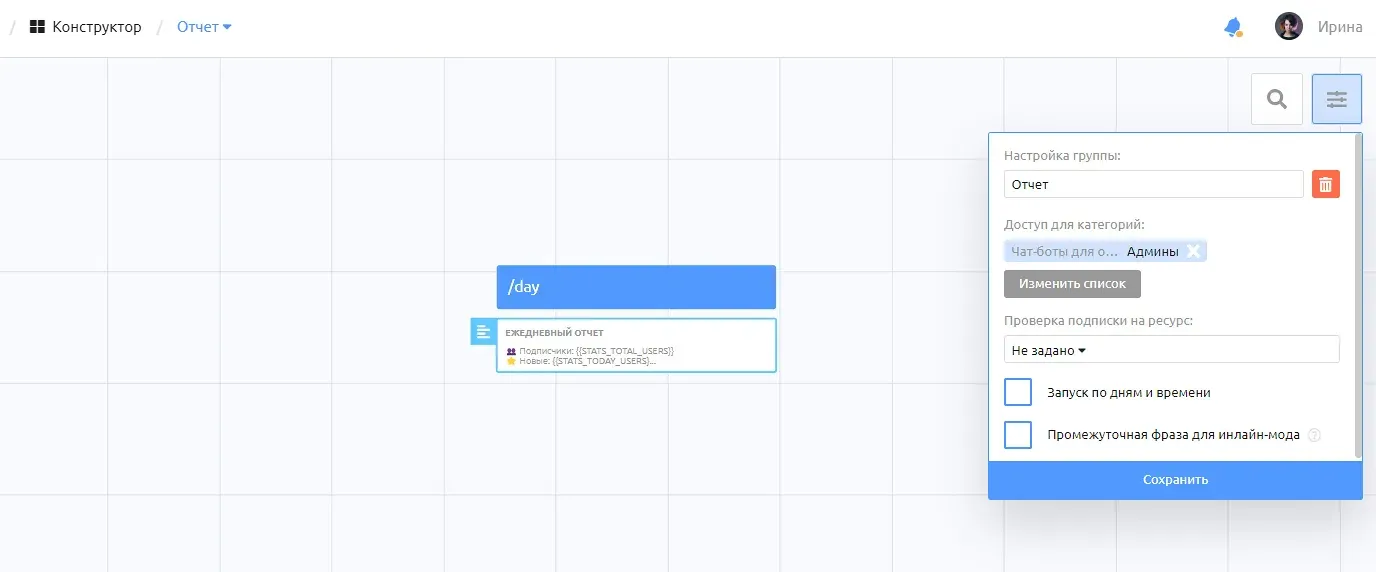
In our example, it's "Admins."
Let's get our team set up.

This is what it will look like in the bot.

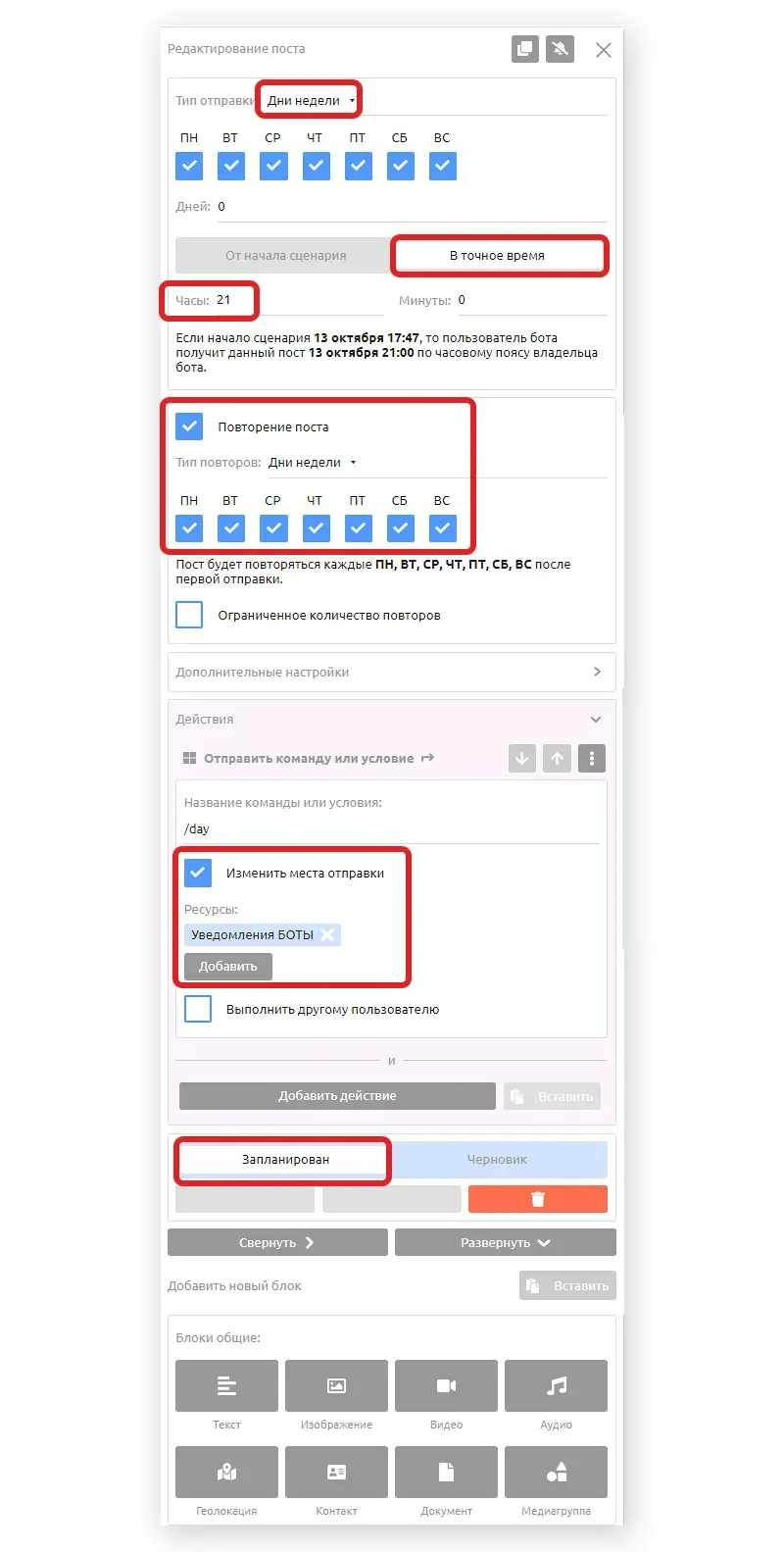
Now let's set up the script so that every day at 9 pm the bot sends a report to the connected group. For a video on how to connect a group, see the link on our channel.
Create a new script in the tab and add a new post.

We will:
Days of the week - check all the necessary options
Exact time of receiving the report (data according to the time zone of the bot owner)
Repetition of the post on the same days of the week
Sending the /day command to the connected group.
Let's enable the "Scheduled" status.
Running the report itself can be manually enabled for yourself or the bot owner via the moderation tab.

Be sure to turn off "Terminate after all scripts run" and turn on "Restart..." in the script settings

To test the script, change the time of receipt to the nearest time, confirm sending to users with the script already running.
Done. We have configured a simple variant of the report. Now let's add our variable.
Level "Average"
Let's say we want to know how many total subscribers per day have taken a survey in the bot. To do this, let's create a global variable {{number_opros}} and set the default value to "0".

Let's add in the command with polling to change the variable value by +1
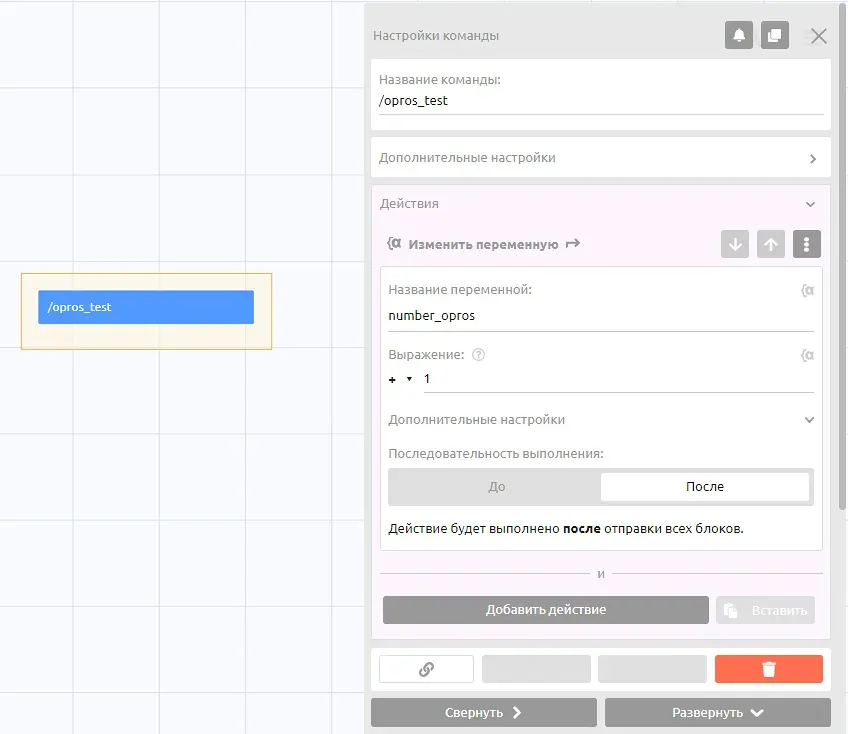
To update the value once a day, we need to reset it to zero, so we'll have another post 2 minutes later than the main post in the script.

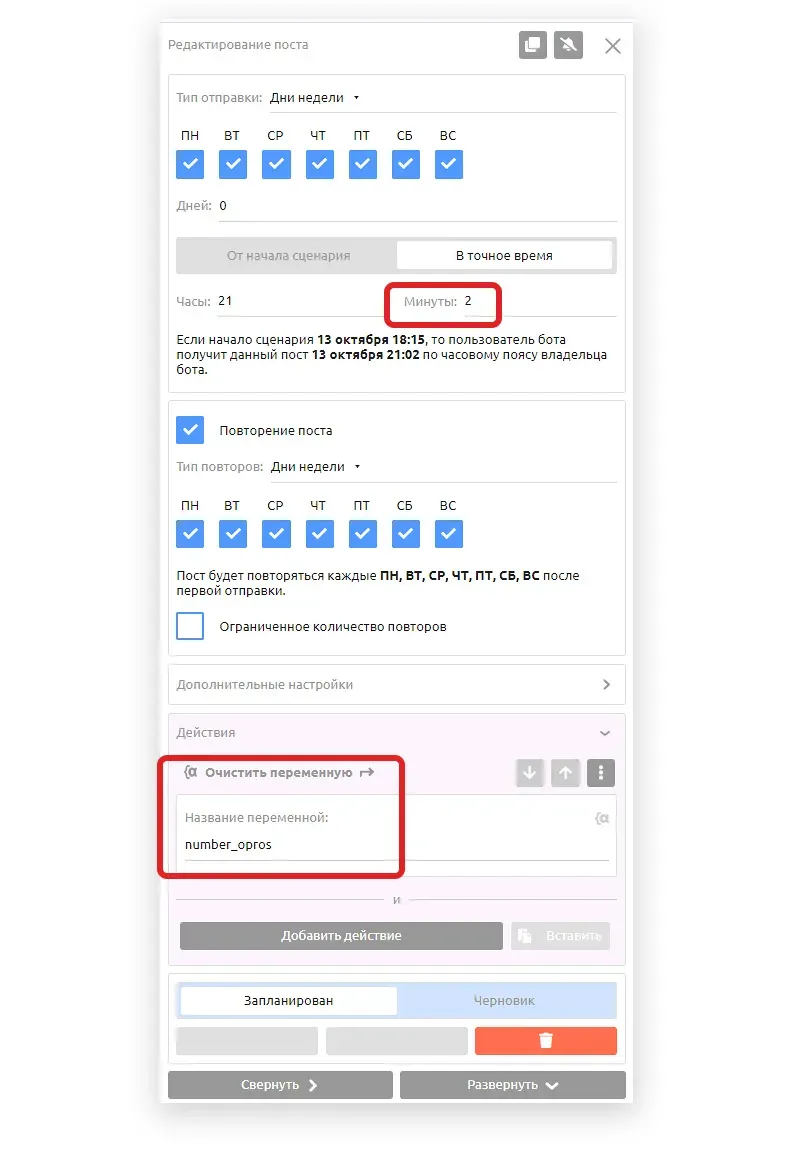
All the settings are the same except for the send time and action
The same principle will be used to set up the collection of other data for the daily report. For more accuracy, we can use variables other than system variables and customize our own. For example, let's say we sent data about new subscribers for today at 21:00, and later in the day a few more people signed up before 24:00. To avoid such distortions we can use our own variables.
Advanced level
Let's complicate the task and customize a weekly report, uploading also the data to google table. The principle is the same, only we set the repetitions once a week.
What other data can be collected
How many subscribed to the channel from the bot
How many sent a request to gpt
How many have reached a certain stage - in number of in %
How many came by recommendation / referral system
How many payments have been made and for what amount
How many have used the bot for the last 1,3,7,10,30 days
How many subscribed to the newsletter
How many started a survey and how many completed it.
Customize reports in your projects, even if the customer doesn't ask for it. It can become your competitive advantage and an indicator of your attitude towards your work.